
Compliance vs usable access
Accessibility compliance is not the same as usable access.
A document can be remediated, tagged, checked, and delivered, and still leave a blind or low-vision user unable to find, understand, or act on the information in time. Braillia focuses on the part compliance often misses: the real access path from delivery to understanding to action.
Usable access outcomes
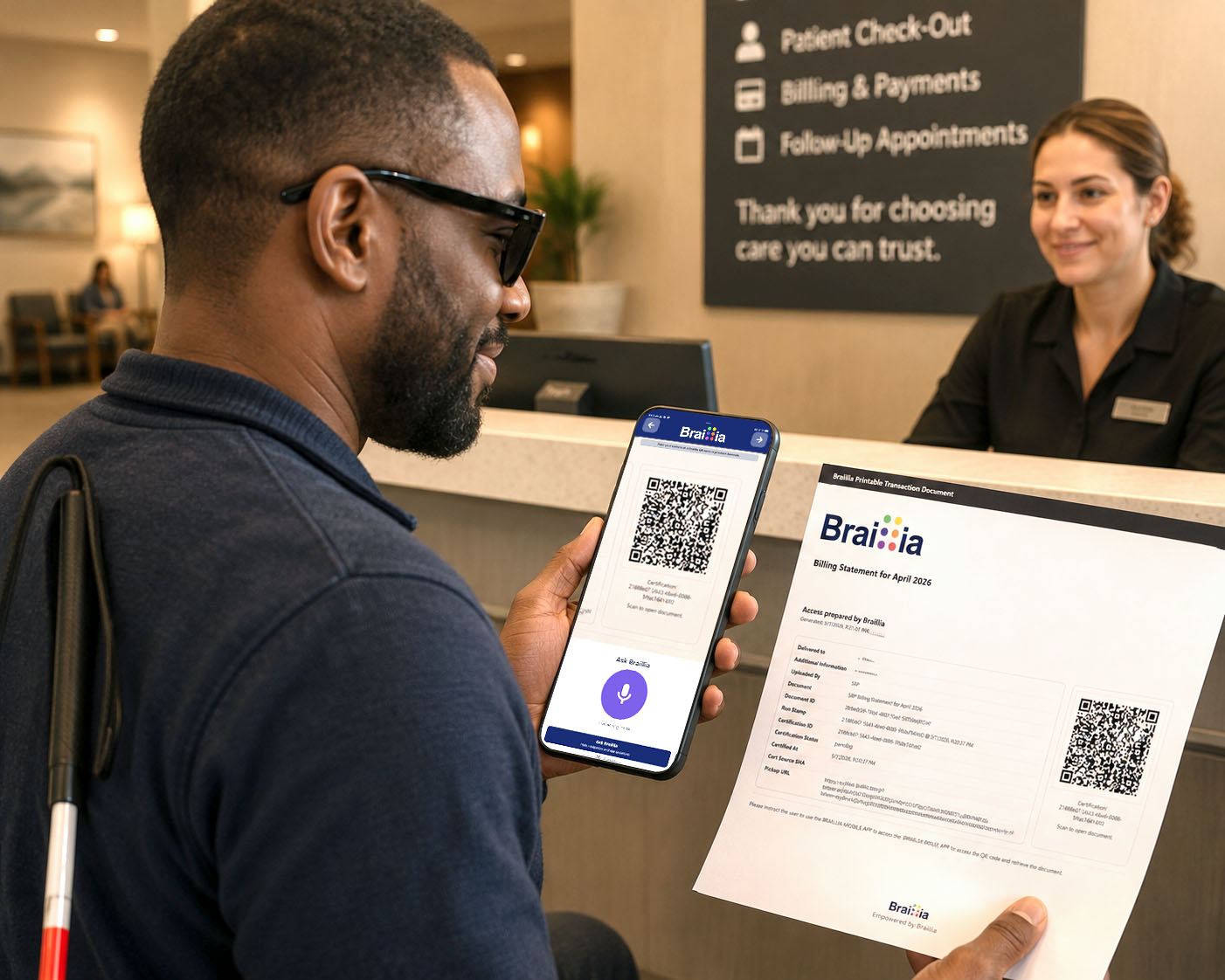
Usable access is the moment a person can receive, understand, ask about, and act on information in real time.
- Prepared files matter, but users still need immediate access.
- Braillia turns digital communication into real-time BLV mobile access.
- Organizations gain delivery workflows, action support, and access evidence.
Mobile access
Receive
Find
Understand
Ask
Act
Prove
The usability gap
The document may pass. The user's moment can still fail.
Remediation, accessible websites, tagged PDFs, validation, and governance are important parts of an accessibility program. But they do not guarantee that a blind or low-vision user can receive the information, find what matters, understand what changed, and take the right action in time.
Braillia is built for that usability gap. It gives organizations a real-time access path for critical documents and communication: delivery, voice-guided mobile use, AI-assisted understanding, reminders, action support, and evidence that usable access was provided.
Compliance prepares the foundation. Usable access is the outcome.
Headings and structure
Alt text and link purpose
Keyboard and screen-reader support
Color contrast and text scaling
Validation and audit workflows
What Braillia does differently
The question is not whether remediation matters. The question is what remediation does not do.
Remediation typically prepares files and digital content. Braillia delivers the real-time BLV experience around that information: delivery, voice, AI understanding, reminders, action support, operational controls, and evidence.
Real-time document transformation and delivery
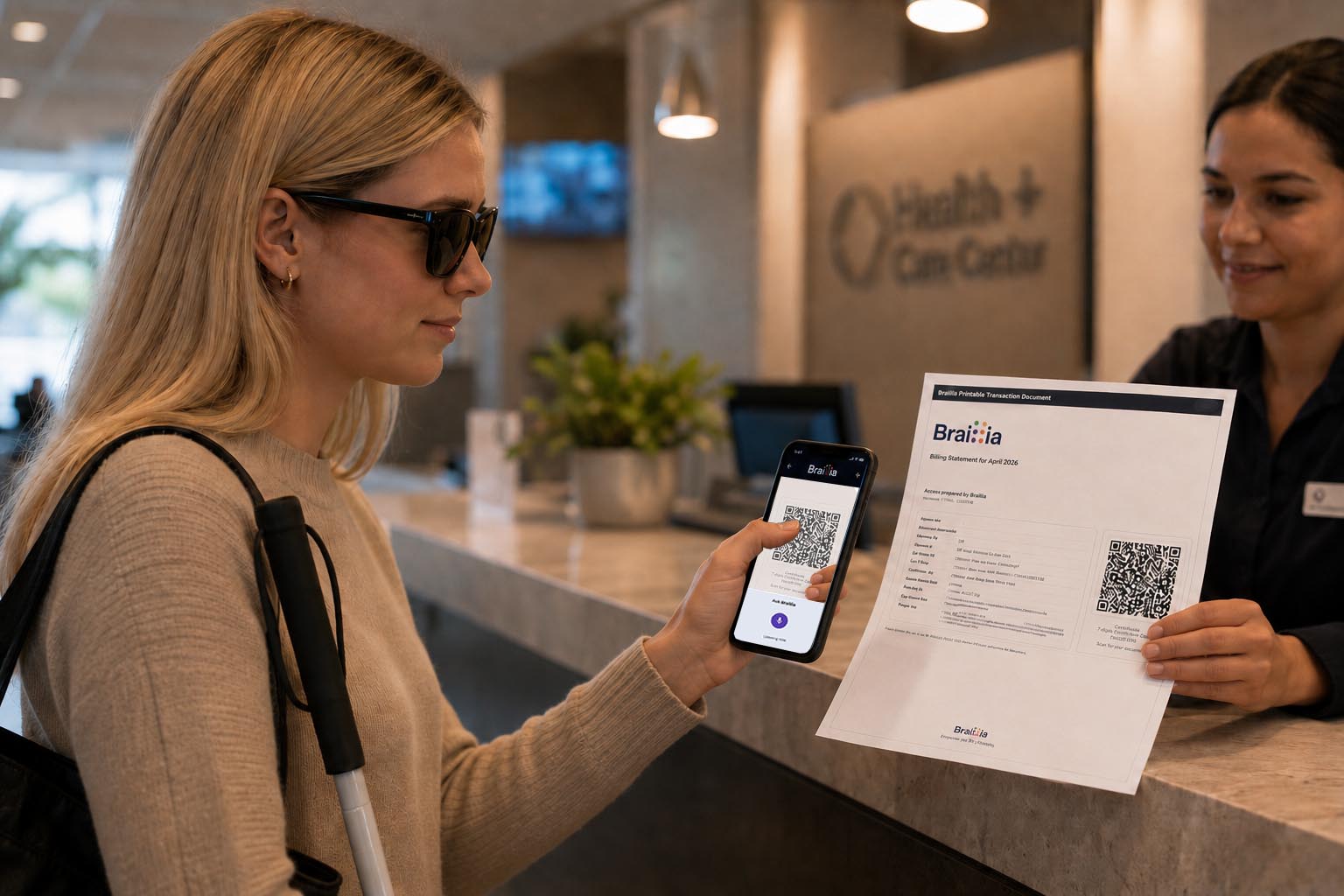
Critical documents, notices, statements, forms, messages, and workflows can move into BLV access through portal upload, API delivery, QR pickup, and mobile access paths.
A delivery path, not just a fixed file
Braillia gives organizations a repeatable way to get usable information to the person, instead of leaving the user to find and interpret a prepared file on their own.
Voice-first mobile use
Users receive information inside an experience built around spoken prompts, touch-to-speak reading, predictable navigation, and BLV-first controls.
Braillia AI Personal Assistant
Users can ask what a document means, what changed, what is due, what amount matters, who sent it, and what action may be needed next.
Action support
Braillia helps users save documents, create reminders, return to important information, identify deadlines, and move from reading to action.
Delivery evidence
Braillia can support delivery records, document fingerprints, access history, and workflow evidence that a real access path was provided.
Remediation typically handlesBraillia handles
Remediation typically handles
Tags, reading order, headings
Braillia handles
Real-time delivery into BLV mobile access
Remediation typically handles
File accessibility
Braillia handles
The user access path
Remediation typically handles
Validation and reporting
Braillia handles
Delivery, use, action, and workflow evidence
Remediation typically handles
Static document preparation
Braillia handles
Voice-guided interactive experiences
Remediation typically handles
Technical conformance
Braillia handles
Understanding, reminders, and action support
Remediation typically handles
One file at a time
Braillia handles
Network-based delivery through API, QR, portal, messages, and mobile workflows
The real question
A compliant document inside a broken access path is still a broken experience.
A PDF can be tagged. A portal can contain an accessible document. A website can pass an audit. A department can say the information was available.
But accessibility still has to survive the user's moment of need. Could the person actually use it without waiting on support, a family member, a manual request, or another accommodation path?
Could the person receive it?
Could they find what matters?
Could they hear and navigate it?
Could they ask what it means?
Could they act before the moment passed?
Evidence behind the gap
The industry has spent years on accessibility. Users still hit walls.
The point is not that accessibility work is useless. The point is that technical preparation, policies, and tooling do not automatically become timely, usable access for blind and low-vision users.
Web accessibility remains fragile at scale.
WebAIM found detectable WCAG failures on 95.9% of the top one million home pages and an average of 56.1 detected errors per page.
WebAIM Million 2026User experience is not improving fast enough.
Among 1,539 valid screen-reader-user responses, only 34.6% said web content had become more accessible over the previous year.
WebAIM Screen Reader Survey #10Quick-fix overlays can miss real usability.
University of Washington research on accessibility overlays reported that blind and low-vision participants generally found overlays ineffective.
CREATE at UW overlay research summaryPDF accessibility remains structurally difficult.
A 20,000-PDF study found less than 3.2% of tested PDFs satisfied all tested accessibility criteria.
2024 scholarly PDF accessibility studyPolicies do not automatically become outcomes.
More than 80% of surveyed organizations reported having a digital accessibility policy, while implementation challenges remain.
Sixth Annual Digital Accessibility ReportThe access path failure
The problem is not that information does not exist. The problem is that access gets blocked before action can happen.
A bill may exist in a portal. A discharge instruction may exist in a patient record. A benefits packet may exist as a PDF. A legal notice may exist in a document system. A school communication may exist in an email.
If a blind or low-vision user cannot practically receive it, understand it, ask about it, and act on it, the access path is broken.
Document repair asks: Was the file prepared for access?
Tags, structure, reading order, labels, and validation all matter. They create an important technical foundation.
Braillia asks: Did the person get usable access when it mattered?
Voice-guided mobile access, Braillia AI Personal Assistant, reminders, saved documents, and delivery workflows turn prepared information into usable action.
Timely access
Usable delivery
Understanding
Action support
Evidence of access
Operational scale
The lived test
Real access is more than a fixed PDF.
For blind and low-vision users, the painful moment is not theoretical. It is the moment they receive a bill they cannot understand, a discharge instruction they cannot follow, a benefits notice they cannot interpret, or a legal deadline they cannot track.
Braillia was built around a different operational question
When that happens, the user pays for the gap with dependence. The organization pays for the gap with cost, risk, complaints, delays, and preventable service failures.
Call centers
Care teams
Branch staff
Accessibility teams
Escalation paths
A utility shutoff notice
A hospital discharge instruction
A benefits packet
A billing statement
A legal notice
A school assignment
A government form
A service alert
Where Braillia comes in
Braillia is the access path.
Braillia gives organizations accessibility delivery infrastructure for critical information: real-time delivery, voice-guided mobile use, AI-assisted understanding, reminders, action support, and delivery evidence.
Deliver
Organizations can move documents, notices, messages, reminders, and communications into real-time BLV access through API, portal, QR pickup, and mobile workflows.
Understand
Braillia structures information and supports Braillia AI Personal Assistant experiences that help users identify key details, ask questions, and understand what matters.
Act
Users can save documents, create reminders, return to important details, and move forward with more confidence while the information still matters.
The outcome
The next accessibility problem is not document repair. It is access delivery.
Organizations still need accessible websites, accessible PDFs, accessible apps, compliant digital content, and strong accessibility programs. But if the user cannot receive, understand, and act, the organization has not delivered access.
Understand informationNavigate independentlyIdentify important actionsReceive information in timeAsk questions naturallyParticipate more fully in modern digital life
Accessibility does not end when the PDF passes. It ends when the person can act.
Where Braillia fits
Stop handing users fixed files through broken systems. Start treating accessibility as a delivery system.
The organization hasThe user still needsBraillia provides
The organization has
Remediated PDFs
The user still needs
A usable way to receive and understand them
Braillia provides
Voice-guided mobile delivery
The organization has
Accessible web content
The user still needs
A direct path to the information that matters
Braillia provides
QR, API, portal, and mobile access
The organization has
Compliance reports
The user still needs
Evidence that access was delivered
Braillia provides
Delivery records, access history, and workflow evidence
The organization has
Support teams
The user still needs
Independence before escalation
Braillia provides
Braillia AI assistance and action support
The organization has
Manual accommodations
The user still needs
Real-time delivery
Braillia provides
On-demand accessible access
Requirements fit
Need the standards and network-fit view?
Review how WCAG, Section 508, ADA, EN 301 549, document accessibility, and privacy governance connect to the Braillia accessibility network.
Buyer questions
The questions buyers ask before they act.
Braillia helps organizations turn prepared information into a practical delivery workflow for real-time BLV access.
How does Braillia work with accessibility programs?
Braillia gives accessibility programs capabilities that file preparation usually does not provide: real-time delivery, voice-first mobile access, AI-assisted understanding, reminders, action support, and delivery evidence. The goal is not to argue with remediation; it is to make sure prepared information becomes usable access.
Can a compliant document still be hard to use?
Yes. A document can meet technical checks while still leaving users struggling to find key information, understand deadlines, navigate dense layouts, or act independently.
What does Braillia add to an accessibility program?
Braillia adds the access delivery layer: API delivery, portal workflows, QR pickup, messages, reminders, touch-to-speak reading, Braillia AI Personal Assistant support, mobile access, delivery records, and accessibility infrastructure.
What outcome is Braillia built around?
Braillia is built around independent usability: helping blind and low-vision users actually receive, understand, navigate, organize, and act on important information when it matters.
Next Step Single Document Pilot
Let us show your team the power behind Braillia's backbone document delivery.