

Documents
Receive, save, revisit, and understand important documents in one guided mobile experience.
Braillia Mobile Experience
Braillia is an AI voice-based accessibility-first mobile experience designed for blind and low-vision users to independently receive, understand, navigate, and act on important information in everyday life.
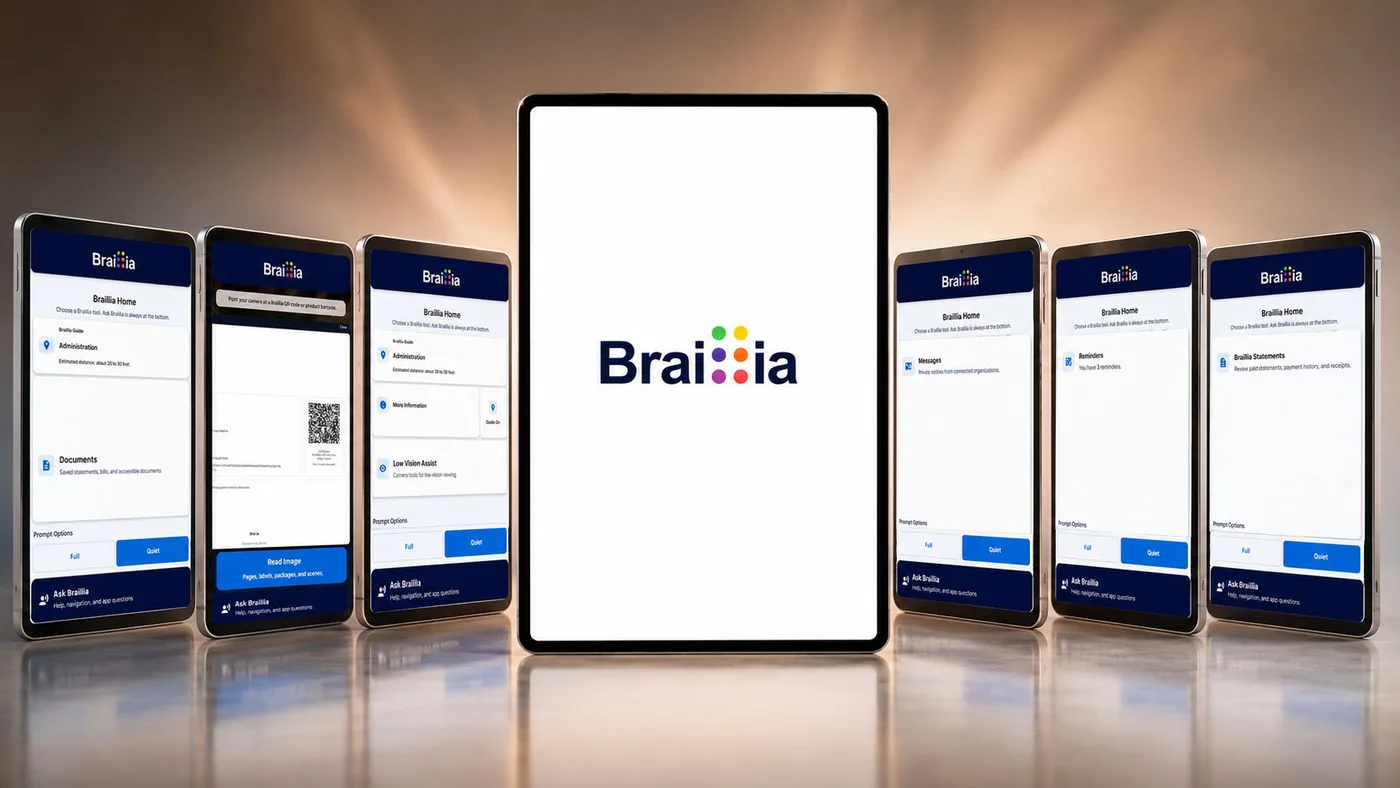
Documents, notices, reminders, printed text, messages, healthcare information, billing communication, labels, and real-world accessibility tools come together inside one guided accessibility-first platform designed around calm usability, confidence, and independence.
Voice-first mobile access
Documents, messages, reminders, scanning, statements, Braillia AI, and low-vision tools come together in one guided mobile experience.
Voice is the connective layer that makes Braillia feel immediate, navigable, and personal. Through spoken prompts, predictable navigation, touch-to-speak reading, and the Braillia AI Personal Assistant, users can move through critical information naturally without depending on a visual-first interface.
The app universe
Braillia is not a single document screen. It is a guided BLV information environment where users can receive, scan, ask, organize, remember, pay when supported, and act.
Receive, save, revisit, and understand important documents in one guided mobile experience.
Get accessible organization communication without hunting through inaccessible attachments.
Track payment dates, appointments, follow-ups, deadlines, and next steps.
Use QR, barcode, printed text, and AI image guidance to turn visual information into usable access.
Ask natural questions, surface important details, identify deadlines, and create clearer action paths.
Use zoom, contrast, viewing modes, flashlight support, and camera tools for different vision needs.
When supported bills are delivered, users can move from understanding what is due toward payment action.
Use supported beacon zones to connect physical spaces to accessible mobile guidance.
Complexity made simple
Braillia combines Ask Braillia voice commands, dynamic touch interaction, spoken prompts, and predictable navigation so users can move through detailed information with confidence in seconds.
A simpler starting point for everything important.
Braillia Options is the central home screen of the app, giving users one consistent place to reach documents, messages, reminders, scanning tools, accessibility settings, assistance features, and Braillia Personal Assistant.
Instead of searching through confusing menus or hidden navigation, users are guided through what is available, move through the app with predictable controls, and can always return home safely and confidently.
Details
Most mobile experiences assume users can visually search through menus, icons, hidden navigation, and changing layouts.
For blind and low-vision users, that often creates frustration before the experience even begins.
Braillia Options was designed to feel different.
Instead of scattered navigation and buried functionality, Braillia creates one calm, predictable starting point where users can reach documents, messages, reminders, reading tools, accessibility settings, and Braillia Personal Assistant from one consistent home screen.
The experience is intentionally structured around orientation and confidence.
Users are guided through what is available. They move through the app using predictable controls. They always know how to return home safely.
Braillia Options is not simply a menu. It is the foundation for a guided accessibility experience built around reducing confusion and helping users feel in control of the information around them.
For many users, accessibility frustration begins when apps become visually overwhelming. Braillia was built around the idea that accessibility should feel calm, understandable, and dependable from the very first interaction.
The goal is simple: help users always know where they are, what is available, and what to do next.
Instantly access important information.
Braillia Scan transforms a simple camera scan into immediate access to accessible documents, notices, supported product information, and AI image guidance.
A healthcare instruction, utility bill, public notice, or product package can become something users can review, understand, discuss, and act on independently within seconds.
Because accessibility matters most when information cannot wait.
Details
A utility bill. A hospital discharge instruction. A government notice. A product package.
In most situations, a QR code or barcode is just another visual interaction.
Braillia transforms scanning into accessible understanding.
Braillia Scan allows users to scan secure Braillia QR codes to instantly retrieve accessible documents and communication experiences directly inside the Braillia mobile app.
Instead of waiting for alternate formats, remediation delays, or sighted assistance, users can independently access important information in real time.
The experience is designed around urgency.
Critical information often arrives with deadlines, consequences, and real-world impact. Users should not have to wait days, weeks, or months for accessible access to information affecting healthcare, finances, services, or personal independence.
Braillia QR delivery transforms inaccessible workflows into immediate accessibility experiences.
Users can:
The scanner also supports product barcode lookup experiences.
Instead of guessing what a product is, users can review:
Because accessibility should not stop at documents. It should extend into everyday life.
Braillia AI image guidance also helps users ask what is in front of them.
Users can use Braillia Scan to support scene recognition for:
Instead of only capturing text or codes, Braillia can help describe visual information so users can better understand their surroundings and decide what to do next.
Braillia Scan is not about scanning. It is about instantly transforming visual information into something blind and low-vision users can actually understand and use.
Keep important information accessible and organized.
Braillia Documents creates a trusted accessible library for bills, notices, medical documents, personal records, and important communication delivered through Braillia.
Instead of losing access inside inaccessible emails, downloads, or paper mail, users can return to important information anytime through one guided accessibility experience built around independent access and usability.
Details
Blind and low-vision users are often forced to depend on:
Important information can quickly become difficult to relocate or impossible to navigate independently.
Braillia Documents creates a trusted accessible library designed specifically around blind and low-vision usability.
Bills, healthcare information, notices, personal records, service communication, and accessible documents remain organized inside one guided accessibility-first experience.
Instead of accessibility disappearing after the first read, users can return to important information whenever they need it.
Documents are not treated as static files. They become interactive accessibility experiences.
Users can:
The experience is designed around confidence.
Users should not fear losing access to important information because an email disappeared, a website changed, or a server became unavailable.
Braillia Documents creates continuity.
A trusted accessible place where information remains understandable, reachable, and usable when users need it most.
Because accessibility should not disappear after the first interaction.
Read documents with confidence instead of frustration.
Braillia Document Reader transforms complex layouts and visual documents into guided touch-and-audio experiences users can explore naturally.
Users can review sections with audio support, move through content, pause, return later, and interact with information without needing to visually navigate complicated pages or inaccessible formatting.
The goal is not just reading. The goal is understanding.
Details
Traditional documents are usually built around:
Even when documents technically pass accessibility validation, the real-world reading experience can still feel exhausting, confusing, and difficult to navigate independently.
Braillia Document Reader was built differently.
Instead of forcing users to fight visual-first document structures, Braillia transforms documents into guided touch-and-audio experiences designed around blind and low-vision usability.
Users can:
The experience is designed to reduce overwhelm.
Instead of trying to visually interpret layouts or endlessly scrub through inaccessible content, users interact with information in a way that feels guided, conversational, and understandable.
Braillia focuses on helping users:
Because accessibility should not feel like fighting a document.
It should feel like understanding information.
Get answers when information feels overwhelming.
Braillia Personal Assistant turns accessibility into conversation.
Instead of moving through an entire document to find one detail, users can ask natural questions like:
Braillia AI helps users quickly find important information, understand what matters, and move forward more confidently.
Details
Most documents force users to search line by line for important information hidden inside dense layouts, long paragraphs, or inaccessible formatting.
A healthcare notice may contain one important instruction buried inside multiple pages. A billing statement may hide a deadline deep inside inaccessible formatting. A government letter may require finding one specific detail inside overwhelming language.
Braillia Personal Assistant changes accessibility from passive reading into conversation.
Instead of searching endlessly for information, users can ask natural questions like:
Braillia AI helps:
The experience is designed around independent understanding.
Users should not need to depend on someone else to explain important information hidden inside inaccessible communication.
Braillia Personal Assistant creates a more natural accessibility experience where information becomes understandable, searchable, and conversational.
The goal is not simply reading. The goal is helping users confidently understand what matters.
Never miss important communication again.
Braillia Messages gives blind and low-vision users a trusted accessible inbox for healthcare communication, service updates, billing notices, organization messages, appointment alerts, and time-sensitive information.
Instead of inaccessible attachments or confusing layouts, users receive guided accessible communication experiences designed for independent understanding and action.
Details
Important notices are often buried inside:
Braillia Messages creates a trusted accessible inbox for:
Instead of inaccessible workflows and overwhelming layouts, users receive guided communication experiences designed around independent understanding and action.
Messages become:
Braillia AI can help users:
The experience is built around trust.
Users approve which organizations can communicate with them. Messages are intended to feel purposeful and relevant, not like advertising noise or inaccessible communication overload.
Because accessibility is not just receiving information. It is understanding what to do next.
Accessibility built around trust and control.
Organization Requests allows users to review and approve which organizations can send documents and messages through Braillia.
Users stay in control of who can communicate with them, helping create a more trusted and intentional accessibility experience instead of unwanted messaging or inaccessible communication overload.
Details
Blind and low-vision users should not lose control over who can communicate with them.
Braillia Organization Requests allows users to review and approve organizations before ongoing messages or document delivery begins.
Healthcare providers, utilities, agencies, service organizations, nonprofits, and connected organizations can request permission to send:
Users stay in control of who is allowed into their accessibility experience.
The goal is not simply communication. The goal is trusted communication.
Instead of overwhelming users with unwanted messaging or unclear relationships, Braillia creates a more intentional accessibility ecosystem where users understand:
Trust is essential in accessibility.
Especially when communication involves:
Braillia was designed around the understanding that accessibility should empower users, not remove their control.
Never lose track of important deadlines again.
Braillia Reminders helps users stay ahead of utility bills, healthcare appointments, follow-ups, payment deadlines, service notices, and other time-sensitive information connected to documents and messages.
Braillia becomes more than a reader. It becomes a support system for real-world action and daily independence.
Details
Important dates are often buried inside inaccessible documents, confusing communication, and difficult layouts.
A missed utility payment. A healthcare follow-up. A service deadline. A benefits appointment. A billing notice.
Braillia Reminders helps users identify, organize, and stay ahead of time-sensitive information connected to messages and documents.
Instead of depending on memory alone or searching through old communication, users receive reminder support designed around:
Braillia can help surface:
The experience is designed around reducing stress.
Users should not need to fear missing critical information because accessibility delays prevented them from understanding a document in time.
Braillia becomes more than a reader. It becomes a support system helping users stay connected to the information life depends on.
Because accessibility should support action, not just access.
Read printed information independently.
Braillia Snapshot Reader helps users understand printed mail, labels, forms, instructions, notices, cards, packaging, and everyday paperwork through guided camera capture and spoken accessibility support.
The goal is not just OCR. The goal is understanding what the information means and what to do next.
Details
Printed mail, forms, labels, instructions, packaging, notices, cards, and everyday paperwork still create major accessibility barriers for blind and low-vision users.
Most systems simply read raw OCR text aloud.
Braillia was designed differently.
Braillia Snapshot Reader transforms camera capture into guided spoken understanding.
Instead of forcing users to interpret fragmented OCR output alone, Braillia focuses on helping users understand:
Users can capture:
Braillia AI helps structure and explain the information in a more understandable way.
The experience is designed to reduce confusion and improve confidence during real-world situations where printed information still dominates everyday life.
Because accessibility should not stop at digital files. It should extend into the physical world around the user.
Accessibility designed for different levels of vision.
Low Vision Assist provides zoom, contrast enhancement, flashlight support, viewing modes, and camera tools designed for users who rely on partial vision in everyday situations.
Instead of forcing users into a single accessibility model, Braillia supports different ways people interact with the world around them.
Details
Low vision is not one experience.
Some users need stronger contrast. Others need magnification. Others need glare reduction, edge definition, brightness control, or different viewing modes depending on lighting conditions and visual fatigue.
Low Vision Assist was designed around the understanding that accessibility should adapt to the user, not force users into one rigid experience.
Braillia provides camera enhancement tools designed to help users interact with the world more comfortably using the vision they have.
Users can:
Different filters help users:
The experience is designed around comfort, confidence, and visual independence.
Because low vision accessibility should not feel like forcing users into a blind-only workflow.
Braillia supports different ways people see, navigate, and interact with information throughout everyday life.
The goal is simple: help users interact with the world more confidently using the vision they have.
Location-aware guidance in supported spaces.
BLE Braillia Guide helps blind and low-vision users receive location-aware guidance, spoken prompts, and accessible actions when they are near supported Braillia beacon zones.
Instead of relying only on signs, visual landmarks, or asking someone nearby, users can receive guidance tied to real-world places such as service counters, pickup areas, entrances, departments, and accessible information points.
Details
Many real-world environments still depend on visual signs, counters, room labels, printed instructions, or staff direction.
For blind and low-vision users, that can make it difficult to know where they are, what service area they are near, or what action is available in that moment.
BLE Braillia Guide connects supported physical spaces to accessible mobile guidance.
When a user is near a Braillia-supported beacon zone, the app can receive location-aware information such as:
The beacon does not need to carry the full experience itself.
Braillia Network stores the accessible guidance, display text, and supported actions in the organization’s portal environment, so a physical location can connect to a guided mobile accessibility experience.
BLE Braillia Guide can support moments such as:
The goal is not just indoor navigation. The goal is orientation, confidence, and timely access to the right information in the right place.
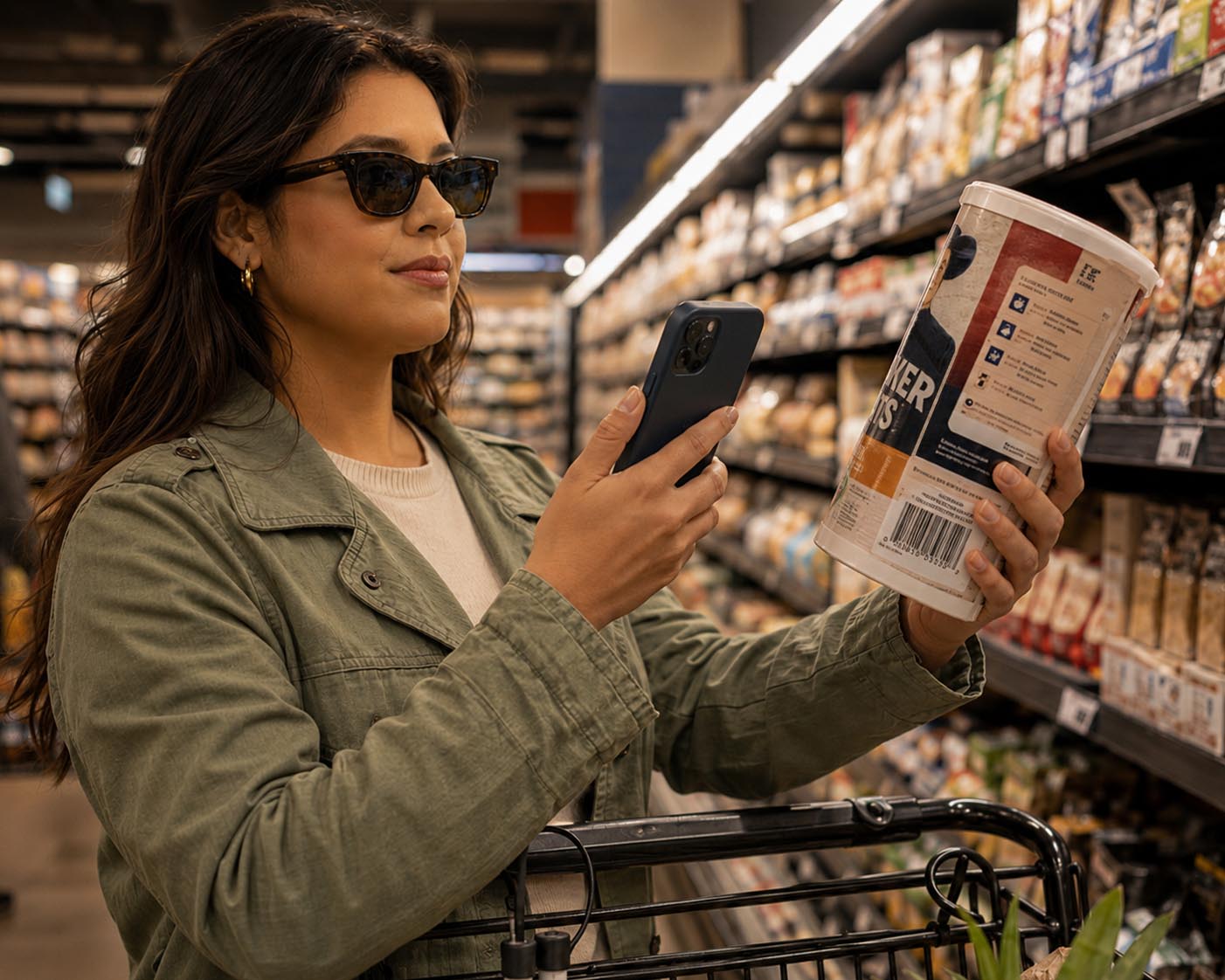
Shop and identify products more confidently.
Braillia can identify supported products and read important information such as product names, ingredients, allergens, quantity, and nutrition details aloud.
For users, this helps transform shopping, cooking, and household tasks into more independent experiences.
Details
Everyday shopping and household tasks often depend heavily on visual packaging and printed labels.
Braillia helps users identify supported products and hear important information such as:
Instead of guessing what a product is or relying on visual packaging alone, users gain more independent access to information surrounding everyday life.
The experience is designed around practical independence.
Cooking. Shopping. Organizing household items. Checking allergens. Understanding packaging.
Accessibility should not stop at documents. It should support real-world living.
Accessibility that feels personal.
Personal Setup allows users to manage preferences like their preferred name and language so the app feels more natural, welcoming, and respectful.
Braillia is designed to support people, not just accessibility workflows.
Details
Accessibility should adapt to the person using it.
Personal Setup allows users to personalize parts of the Braillia experience such as:
The goal is not just configuration. It is comfort, respect, and familiarity.
Braillia was designed around the understanding that accessibility experiences become more trusted when they feel personal and human.
The platform should not feel cold, generic, or purely technical. It should feel welcoming, understandable, and designed around the person using it.
Because accessibility is personal.
Guided setup built for blind and low-vision users.
Braillia Setup helps users safely navigate permissions, alerts, microphone access, camera access, and connection settings with guided explanations before Android system prompts appear.
Instead of leaving users confused by silent system popups or inaccessible setup flows, Braillia helps explain what is happening and why.
Details
Many accessibility barriers begin before an app is even fully configured.
Silent permission prompts. Confusing Android dialogs. Unclear setup requirements. Visual-first onboarding.
Braillia Setup was designed to guide users safely through:
using spoken explanations and accessibility-first guidance before Android system prompts appear.
Instead of leaving users confused by inaccessible setup flows, Braillia helps explain:
The experience is designed around reducing setup anxiety and helping users feel supported from the very beginning.
Because accessibility should start before the first interaction, not after frustration already begins.
Adjust the experience around your vision.
Braillia allows users to personalize contrast modes, text size, and visual presentation based on their comfort and accessibility needs.
Accessibility should adapt to the user, not force the user to adapt to the system.
Details
Different users experience vision differently throughout the day, under different lighting conditions, and across different environments.
Braillia allows users to personalize:
based on what feels most comfortable and easiest to see.
Some users may prefer:
The experience is designed around flexibility.
Accessibility should never force users into one rigid visual experience.
Braillia adapts around the user, helping create calmer, clearer, and more comfortable interaction experiences across the platform.
Because accessibility should support the way people naturally interact with information.
Built with real user feedback.
Braillia Suggestions gives users a direct voice in the future of the platform.
If something feels confusing, frustrating, missing, or could work better, users can send suggestions directly so Braillia continues improving around real accessibility experiences and everyday usability.
Details
The best accessibility systems are shaped by the people who actually use them.
Braillia Suggestions gives users a direct voice in improving the platform by sharing:
Instead of assuming what users need, Braillia continues evolving around lived accessibility reality.
The platform is designed to improve through:
Because accessibility should grow with the people it serves.
Guidance when users need it.
The Help Center explains Braillia features, navigation, and app experiences in accessible language designed for blind and low-vision users.
Users can learn the platform, explore features, and regain orientation without needing outside assistance.
Details
Learning a new accessibility platform should not require sighted assistance.
The Help Center explains:
using guided language designed specifically around blind and low-vision usability.
Users can:
without feeling lost or dependent on outside help.
The experience is designed around reassurance.
Confidence begins with understanding.
Accessibility should feel guided, not overwhelming.
Braillia was designed around guided audio support, large touch targets, predictable layouts, and safe interaction patterns so users are not left guessing what is on the screen or what to do next.
Users can safely explore the app, hear what actions are available, and decide confidently before activating controls.
That reduces stress, confusion, and fear of making mistakes.
Details
Most mobile experiences still rely heavily on visual discovery and trial-and-error interaction.
Braillia was designed around:
Users always understand:
Braillia supports safe exploration.
Users can touch controls, hear what they do, and decide confidently before activating actions.
That reduces:
The goal is not simply accessibility. It is confidence.
Predictable movement through the app.
Braillia supports guided swipe navigation between major areas of the app, creating a more natural and reliable way to move between experiences without needing to visually search for every button.
Consistency creates confidence.
Details
Braillia supports guided swipe navigation between major areas of the app, creating a more natural and reliable way to move between experiences without needing to visually search for every button.
Consistency creates confidence.
Always know how to get back.
Braillia includes a consistent Back, Home, and Forward navigation system throughout the app so users always have a reliable path back to safety and orientation.
The Braillia logo acts as the Home button, giving users a trusted reset point anywhere inside the experience.
Details
Braillia includes a consistent Back, Home, and Forward navigation system throughout the app so users always have a reliable path back to safety and orientation.
The Braillia logo acts as the Home button, giving users a trusted reset point anywhere inside the experience.
Accessibility from the beginning, not after the fact.
Braillia allows approved organizations to securely deliver accessible documents, notices, reminders, and communication directly into the Braillia mobile experience.
Instead of inaccessible PDFs, paper mail, or delayed remediation workflows, users receive information in a format designed around independent understanding from the start.
Details
Braillia allows approved organizations to securely deliver accessible documents, notices, reminders, and communication directly into the Braillia mobile experience.
Instead of inaccessible PDFs, paper mail, or delayed remediation workflows, users receive information in a format designed around independent understanding from the start.
Accessibility only matters if people can actually use the information.
A document may technically validate while still leaving blind and low-vision users struggling to understand what matters, what changed, what is due, or what action to take next.
Braillia transforms important information into on-demand, guided accessibility experiences designed for independent understanding and real-world action.
The larger goal is simple: help users know what they have, understand what it means, and decide what to do next independently.
Details
A document may technically validate while still leaving blind and low-vision users struggling to understand what matters, what changed, what is due, or what action to take next.
Braillia transforms important information into on-demand, guided accessibility experiences designed for independent understanding and real-world action.
The larger goal is simple: help users know what they have, understand what it means, and decide what to do next independently.
Braillia can map one organization workflow into the app experience: documents, messages, reminders, scan, Braillia AI, and next-step action.